Pages

Thursday, September 2, 2010

Apple Released iOS 4.1 GM for Developers

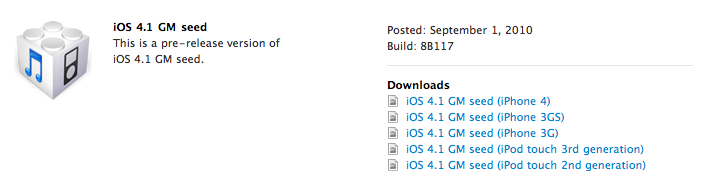
Apple just released iOS 4.1 GM seed to developers. Regsitered developers can download GM seed from their respective developer accounts. iOS 4.1 features several improvements and new functions like resolution of several bugs, including the proximity sensor iPhone 4, High Dynamic Range Photos, Ability to upload videos in HD on WiFi, Rent TV programs to watch streaming, Game Center and lots more.

Final version of iOS 4.1 will be available on 8th of September, and will be a free upgrade for iPhone 4, 3GS, 3G and iPod Touch users.

iOS 4.1 (Final) For iPhone, iPod Touch Coming Next Week to Fix Numerous Issues

Apple has announced that iOS 4.1 final version will be out next week along with the iPod Touch 4Gavailability. iOS 4.1 will come with numerous bug fixes including proximity sensor and  Bluetooth fix for iPhone 4 and performance improvements for iPhone 3G.
iOS 4.1 firmware will also feature:
  • High Dynamic Range (HDR) photos
  • Game Center
  • HD video upload over Wi-Fi
  • TV show rentals
Apple has just pushed the iOS 4.1 GM (Gold Master) build to developers and final version of iOS 4.1 firmware will be released to masses next week.
stay tune for future information.

Downgrade iOS 4.1 to 4.0.1 for iPhone 4, iPhone 3GS 3G

Apple released iOS 4.1 GM for developers, latest version of iOS features several improvements like resolution of several bugs including the proximity sensor iPhone 4 and some new functions like High Dynamic Range Photos, Ability to upload videos in HD on WiFi, Rent TV programs to watch streaming,  Game Center and lots more. Final build of iOS 4.1 will be available in public on 8th of September and after that Apple is going to stop signing iOS 4.0.2 signature files.
That means that if you have a iPhone 4 /  3GS you cannot restore any firmware other than iOS 4.1 If you guys updated to iOS 4.1 and wanna go back to iOS 4.0.2 / 4.0.1 here is the step by step guide to downgrade your iPhone 4 / 3GS iOS 4.1 to 4.0.1 / 4.0.2 or below.
Note : You are eligible only if you saved your SHSH to Cydia Server before the release of iOS 4.1 via Cydia “make my life easier” button.

The process is very simple all you have to do is to add Saurik’s Server address to your system hosts file. This trick make iTunes thinks it is talking to Apple, it is talking to Cydia instead while the restoring process. Doing this will allow iTunes to access signatures already stored by Cydia “on file” feature. In simple words this duplicates the functionality exposed by Apple’s signature server, except using “on file” result rather than live request.


Note:
  1. This process is only for those who saved their SHSH to Cydia Server already.
  2. Read the whole process two-three times before starting the process.
_________________________________________________________________________
How to Edit and Save Hosts file in Windows
  • Open Notepad with Administrative privileges by clicking StartAll Programs,Accessories, and thenright-click Notepad and select to open as Administrator.
  • Now browse to (C:/Windows / System32 / drivers / etc) in Notepad and open the hosts file, and add the following entry to the bottom of the file.


    74.208.10.249    gs.apple.com               <————
Now you navigate to files menu and save the hosts file. By doing this you changed the communication serverfrom Apple to Sauriks Server, because your ECID is on that server. Now you can put your iPhone in DFU mode to restore back to to OS 4.0.2 or lower. Follow our previous guide Downgrade iPhone 3G / 3GS
_________________________________________________________________________
How to Edit and Save Hosts file in Mac OS X
  • Navigate to Finder, Click to select Go to Folder… from the Go menu and Enter /etc into the input field and click the Go button.
  • Now look for hosts file, right click on hosts file and open with Text Edit, and add the following entry to the bottom of the file.
74.208.10.249   gs.apple.com <————
  • Now save the file and click on Save As.
  • Because Text Editor can’t save your system files, here comes the tricky part, in save as windows use the following settings, take a close look at the following image.
Uncheck the “ If no extension is provide, use .txt “ and then press the save button.
  • A host file will be appear on your Desktop, just drag and drop to /etc and follow the onscreen instructions.
By doing this you changed the communication server from Apple to Sauriks Server, because your ECID is on that server. Now you can put your iPhone in DFU mode to restore to any of the previous OS. Follow our previous guide Downgrade iPhone 3G / 3GS

Twitter for iPad review


It’s no secret that Twitter for iPhone (née Tweetie) is often regarded as the gold standard for mobile apps — it blends functionality, performance, and usability together with a dash of playful quirkiness that works so well Twitter just bought the app and hired developer Loren Brichter back in April. That delayed the release of an iPad version, but Twitter’s finally come through — and as you’d expect, Twitter for iPad does things just as uniquely as its sister apps on the iPhone and Mac. In fact, we’d go so far as to say a few of its interface conventions will become as commonplace as slide-to-refresh, which was first introduced in Tweetie for iPhone — but let’s not get ahead of ourselves.


These basic interface elements are the same regardless of portrait or landscape orientation, although there’s a massive empty space to the right of timeline in landscape view when you first open the app. But wait: selecting a tweet brings up a slideable sheet that fills the space with a number of context-sensitive panels — user profiles, a browser pane that loads the links in a tweet, a pinch-and-zoom photo viewer. All of the panels can be slid back and forth so you can see what’s underneath and switch between them — it’s almost like overlapping windows.
Twitter’s sliding panels UI is definitely one of the most unique and usable iPad interface concepts we’ve ever seen, and we’re pretty sure it’ll be aped by all sort of other apps in the near future — and just like pull-to-refresh, there are going to be good implementations and complete catastrophes. Indeed, even Twitter’s implementation can get a little cluttered and chaotic. But it’s nice to see Twitter and Loren Brichter have carried on Tweetie’s legacy of UI innovation with Twitter for iPad — and that they’re doing it in a great free app makes it even better. We’re told it should start appearing in the App Store now, so go grab it.

iPod touch (2010)


So we just got our hands on the new iPod touch… and boy is it small. As you would expect, the functionality of the device is identical to the iPhone 4, as well as the functions of the cameras. In essence, it’s a much thinner iPhone 4, with no cell radio and a lower quality still camera. The design is relatively in keeping with previous touches, so no major surprises there, but the inclusion of that A4 chip, higher resolution screen, and front and back cameras makes it a far more versatile device. Take a look at the gallery below if you’re wondering just how much of a sliver this is — it makes the iPhone 4 look… fat.
It’s worth noting that the back camera is clearly not the same 5 megapixel shooter present on the iPhone 4, as the specs on Apple’s page for the touch list the still photo resolution at 960 x 720 — a huge difference.